
Trolley
You have no items in your shopping cart

 Budgets
 Dumbers
 Discs
Discs
 Benches
 Racks and Rigs
 Weights Holders
 Isotonic machines
 Calisthenics
 Cardio
 Kettlebells
 Flooring
 Gym Set
 Accessories
 Combat
 ARTI MARZIALI
 CONTAINER GYM
 Tug-Of-War
 Used Gym Equipment
 PILATES MACCHINARI
 GINNASTICA ARTISTICA
 CAMPI DA PADEL
 Prodotti in Pronta Consegna
 Informazioni
 IRONMAN
 Gift Card
- Donatif
- Training and exercises
- 0 I like it
- 2533 Views
- 0 comments
READING TIME: 8 MINUTES ➤➤
Posture at the Computer: Exercises to Work Without Pain
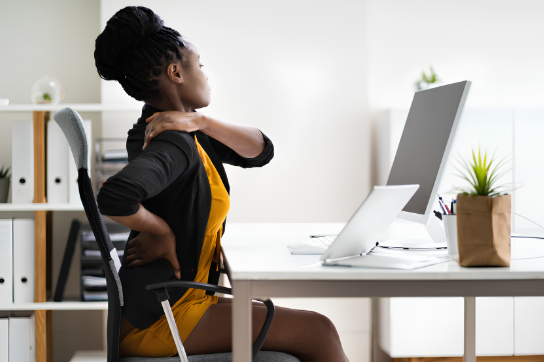
Working at a computer for many hours every day can cause physical discomfort that, over time, may turn into real chronic pain. However, just a few targeted actions are enough to prevent muscle tension and significantly improve the quality of sedentary work. In this article, you will discover simple and effective exercises to correct your posture at the desk, reduce neck pain, and promote better ergonomics in your workspace.
- Working at the computer: why posture matters
- The consequences of poor posture at the desk
- Office ergonomics: what does it really mean?
- Practical exercises to improve posture at the computer
- How to create an effective desk routine
- Conclusion: small actions, big results
Working at the Computer: Why Posture Matters
Many workers spend up to eight hours a day in front of a screen, often without realizing how the posture maintained during work directly affects overall well-being. Sitting incorrectly for long periods can lead to spinal compression, muscle tension, and postural misalignments that become increasingly difficult to correct over time.
Posture is not just a matter of appearance or temporary comfort: it is a functional aspect that influences joint health, breathing, and even energy levels throughout the day. Learning to sit correctly and move regularly is the first step toward a more productive and pain-free work experience.
The Consequences of Poor Posture at the Desk
Among the most common issues caused by poor posture in front of a computer are neck pain, shoulder tension, and lower back stiffness. Over time, these symptoms may develop into chronic inflammation, cervical or lumbar hernias, and even affect the wrists and hands, causing conditions such as carpal tunnel syndrome or tendinitis.
Prolonged immobility and the absence of corrective movement encourage the body to adapt to incorrect positions, creating a sort of “negative postural memory.” This can worsen sleep quality, reduce concentration, and make work more exhausting. Acting early with targeted exercises is essential to prevent the situation from getting worse.
Office Ergonomics: What Does It Really Mean?
People often talk about “office ergonomics” as if it were a technical concept reserved for specialists. In reality, it simply means adapting the workspace to the needs of the human body, reducing unnecessary strain and preventing physical discomfort. An adjustable chair, a monitor positioned at eye level, and a keyboard aligned with the elbows are all small details that make a huge difference.
Taking care of workplace ergonomics is not a luxury, but an effective strategy to work better, longer, and with less fatigue. Even at home, a few simple adjustments can create a functional workstation that encourages movement and reduces harmful postures.
Practical Exercises to Improve Posture at the Computer
Cervical Mobility: Relief for the Neck and Shoulders
The neck is one of the areas most affected by sedentary work. To reduce tension, simple mobility exercises are enough: slowly rotate the head to the right and left, perform gentle side bends, and make small circles while keeping the shoulders relaxed. When practiced regularly, these movements improve cervical flexibility and reduce stiffness.
The shoulders should also be mobilized: perform wide forward and backward shoulder rotations while breathing deeply. These exercises help release tension in the trapezius muscles, which are often overloaded due to a hunched position in front of the monitor.
Spinal Stretching: A Daily Postural Reset
Another essential exercise focuses on the spine. You can start with a seated stretch: interlace your fingers, extend your arms upward, and try to push them above your head while keeping your back straight. This exercise lengthens the spine and stimulates proprioception.
Slowly bending forward to touch your toes (or as far as possible) also promotes spinal decompression. Repeating these exercises two or three times a day helps compensate for the static nature of sitting for long periods.
Seated Core Activation
An active core better supports the spine and prevents postural collapse. You can train it even while seated: contract your abdominal muscles for 10–15 seconds while maintaining an upright back, then relax them. This creates deep activation without even leaving your chair.
This simple yet effective exercise improves awareness of your center of gravity and supports the entire postural structure. Integrating these movements during work promotes stability and overall well-being.
How to Create an Effective Desk Routine
The key to improving posture is not performing intense activities, but rather introducing small gestures repeated consistently. Movement breaks every hour, seated exercises, and visual pauses can transform a sedentary workday into an opportunity for regeneration.
Organize your workday with short active breaks: just 3–5 minutes every 60 minutes of work are enough to perform one of the exercises described above. Create a visual reminder or set a notification to help you remember, and over time it will become an automatic and healthy habit.
Conclusion: Small Actions, Big Results
Investing in your posture means improving every aspect of your working life. With just a few targeted exercises and greater attention to ergonomics, it is possible to drastically reduce the pain associated with a sedentary lifestyle and regain a widespread feeling of well-being.
No major revolutions are required: consistency and awareness are enough. Your body will thank you, and your days at the computer will become lighter and more productive.
Comments (0)