
Trolley
You have no items in your shopping cart

 Budgets
 Dumbers
 Discs
 Benches
 Racks and Rigs
 Weights Holders
 Isotonic machines
 Calisthenics
 Cardio
 Kettlebells
 Flooring
 Gym Set
 Accessories
 Combat
 ARTI MARZIALI
 CONTAINER GYM
 Tug-Of-War
 Used Gym Equipment
 PILATES MACCHINARI
 GINNASTICA ARTISTICA
 CAMPI DA PADEL
 Prodotti in Pronta Consegna
 Informazioni
 IRONMAN
 Gift Card
- Donatif
- General information
- 0 I like it
- 113 Views
- 0 comments
- gym flooring, safety flooring, gym safety, shock-absorbing materials
Cardio Accessories: Checks and Maintenance in the Fitness Room
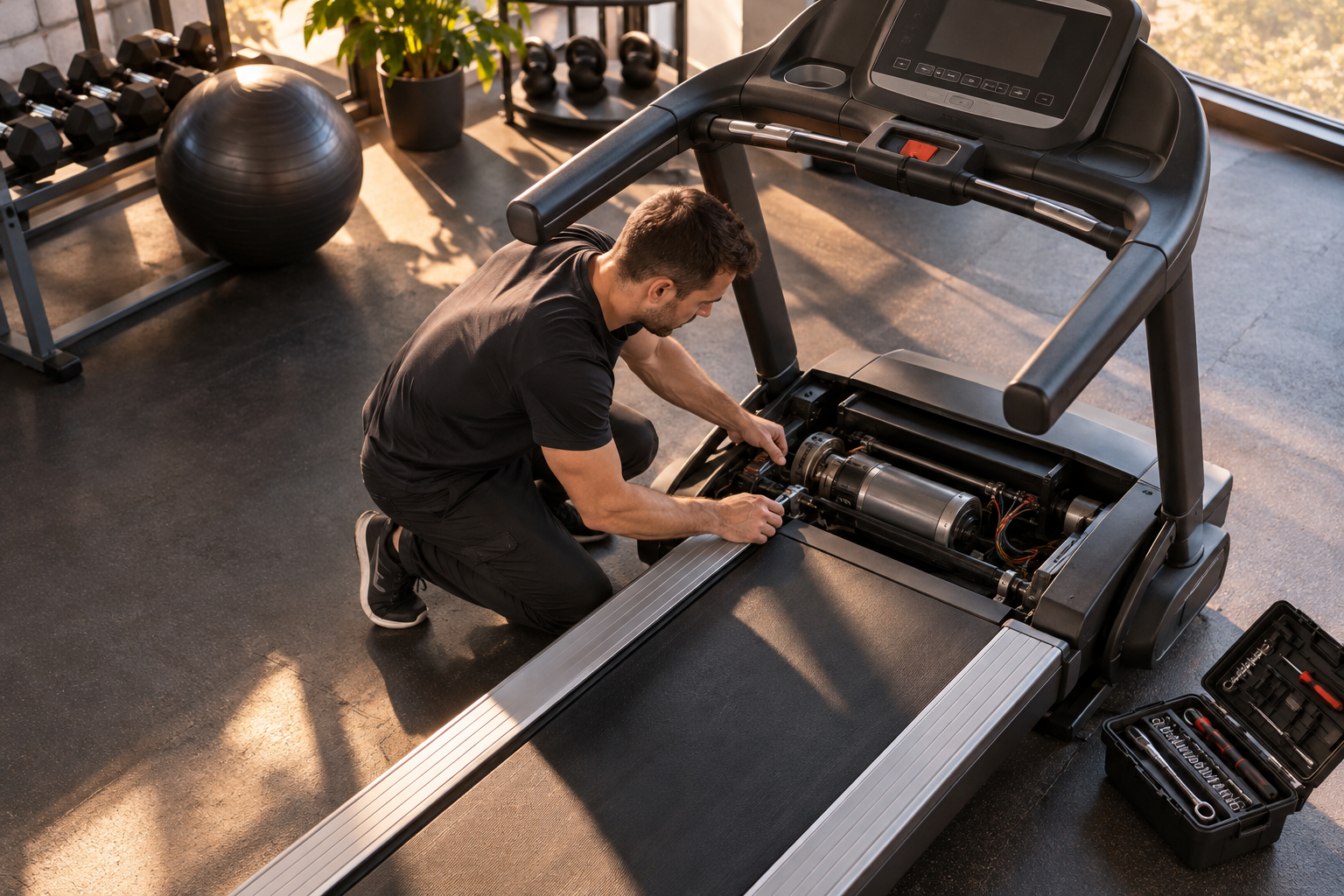
A cardio machine can continue to turn on even when an accessory is damaged or not working as expected. Pedals, straps, adjustments, mounts, and connected devices therefore deserve attention distinct from the general operation of the machine.
The maintenance of accessories for cardio equipment starts with a precise inventory and the model's instructions. Not all items can be disassembled, cleaned, or replaced in the same way: materials, fastenings, and functions vary among manufacturers and versions.
This guide helps the fitness manager organize daily observations, reports, and interventions. Staff must distinguish what they can check directly from operations that require a qualified technician, avoiding improvised repairs to keep a station available.
An accessory should not be considered secondary just because it is small or removable. It can affect support, adjustment, or stopping mode. The useful criterion is to understand what function it performs and what consequences a defect in it would have, following the manufacturer's documentation.
Imagine a bike where multiple users report that a strap does not stay adjusted. The first organizational action is to identify the machine and collect the symptom, not to distribute the component from a nearby bike. The manual and competent verification will guide management, while the manager will clarify whether the station can remain available.
A second example concerns a personal device holder. Even when it does not directly participate in the machine's movement, it must be intact and used for its intended function. An improperly secured object can fall or interfere with the controls: staff must know the limits of the holder and not treat it as a generic shelf.
These cases can be included in the training of new employees. A brief demonstration on the model present helps connect rules and real components, making it easier to recognize a problem. Indications must remain updated when accessories or room configurations change.
- Identifying accessories and functions
- Pedals and contact points
- Electronic devices and accessories
- Material-compatible cleaning
- Organizing checks and reports
- Replacing without improvising
- Verifying service after intervention
Identifying accessories and functions
Inventory per machine
Assign an identifier to each machine and collect the brand, model, and serial number. List the expected accessories and those actually present, distinguishing original elements from authorized additions. A generic description like bike pedal is not enough to identify the correct component.
Link the items to the manual and any specific instructions. If an item does not appear in the documentation, ask the supplier how it was identified and whether it is compatible. Do not attribute limits or procedures derived from an apparently similar machine to it.
Permitted use and responsibilities
Clarify which accessories can be adjusted by users and which must be handled by staff. This distinction should be understandable in the room instructions. The presence of a lever or a knob does not authorize any intervention on the component.
Identify who performs the checks, who receives the reports, and who decides whether to request assistance. A list without responsible persons risks remaining unused. The handover between shifts must include unavailable accessories and any suspended machines.
Pedals and contact points
Straps and supports
On bikes and other systems, check the condition of the contact points provided by the model. Cuts, damaged fastenings, or adjustments that do not stay set require a report. Staff describe what they observe without automatically deducing which internal part is responsible.
Verify the adjustment according to the manual and do not use cable ties, knots, or makeshift materials to restore a function. A replacement accessory must be compatible with the machine and its use. If the defect can compromise activity, apply the expected suspension procedure.
Handles, seats, and mounts
Handles and seats may show wear in the upholstery or abnormal movement in the fastenings. Observe the points indicated by the manufacturer and report differences from expected behavior. Cleaning offers an opportunity for inspection, but does not prove the integrity of the component on its own.
Adjustments must be understood before use. If a mount does not lock correctly, do not invite the person to hold it steady with their body. Stop the preparation and request appropriate verification, keeping the machine's status recognizable.
Electronic devices and accessories
Consoles and connections
For consoles, mounts, and connected devices, follow the model's instructions. A deteriorated cable, a damaged connector, or an unusual message must be reported without opening electrical components. Work that requires specific skills is up to qualified personnel.
Do not connect power supplies or accessories just because the connector seems to fit. Electrical characteristics and compatibility must be confirmed. Keep the references of approved components to prevent parts from different machines from being mixed up in storage.
Safety functions
Stop devices and accessories with a safety function must be managed according to the manual. Staff must know the control procedure and the conditions that require suspension. Do not bypass a device to temporarily allow the use of the machine.
If a removable element is missing, check with the documentation whether and how the machine can be used. Do not assume all functions remain available. The decision must be based on instructions and competent evaluation, not solely on the possibility of starting the display.
Material-compatible cleaning
Products and methods
Prepare instructions that identify approved products, surfaces, and application methods. Upholstery, belts, and electronic components may require different treatments. A detergent effective on one material can damage another or not be suitable for the device.
Avoid direct sprays into cracks or mechanisms when not provided for. Follow instructions also for drying and returning to use. If users clean certain contact points, make simple instructions and appropriate materials available, keeping staff activities clearly assigned.
Order between sessions
Check that removable accessories and cleaning materials return to their intended position. Objects left on the floor or mounts used to store loads can create interference. Order must be compatible with the operating space of the machine and the room's walkways.
The cardio equipment includes models with different instructions. To organize cleaning, use the documents of the units present, without automatically transferring products and procedures from one category or model to another.
Organizing checks and reports
Frequencies and criteria
The plan must follow the frequencies and criteria indicated by the manufacturer for each accessory. Distinguish pre-use observation, scheduled checks, and specialized intervention. Do not replace a prescription with a generic interval the same for all machines in the gym.
When instructions require usage-based verification, clarify how to collect the information and who updates the log. If the data is not available, ask assistance for guidance instead of inventing a frequency that might not meet the model's conditions.
Describing the symptom
A useful report indicates the machine, accessory, time, and observed behavior. For example, an adjustment that shifts during use is more precise information than defective accessory. Avoid repeated tests with users to reproduce a potentially risky problem.
The manager verifies how to proceed according to the instructions and involves those with the necessary skills. If the machine must be stopped, make the status recognizable and inform shifts. Incomplete communication can leave a damaged component available again.
Replacing without improvising
Code and compatibility
Before ordering, compare the spare part code, model, and serial number, including any revisions. Ask for confirmation when a code is updated or replaced. Measurements and photographs can help, but do not guarantee functional equivalence or fastening compatibility on their own.
Also check who can perform the assembly and what checks must follow it. The availability of an accessory in stock does not authorize autonomous intervention. Keep documents and instructions received along with the machine's history, so the information remains accessible.
Stock and storage
A stock can be useful for identified components compatible with the models present. Consider storage conditions and quantities actually needed. Do not accumulate generic items without knowing on which machine they can be installed or if they are still provided by the manufacturer.
Store parts with recognizable labels and packaging and separate damaged ones. If the gym replaces a machine, update the destination of the stocks. An accessory kept for the previous model must not be assigned to the new unit without verification.
Verifying service after intervention
Return to use
Reopening follows the checks required by the model and the facility's procedure. A new part does not automatically prove the problem is solved. The competent person must confirm the conditions of use and communicate the outcome to the manager.
Update the log with the date, replaced accessory, and intervention details. If the symptom reappears, link the report to the previous history without assuming the same cause. The staff of the next shift must know which machine is available and what checks remain open.
Improving the process
Collect recurring difficulties: missing codes, accessories left out of place, or incomplete assistance requests. This information can suggest an improvement to instructions or inventory. However, do not turn a single report into an arbitrary modification of technical procedures.
Periodically review responsibilities and documents when equipment or staff changes. Accessory maintenance becomes feasible when every element is identified, every check has an assignee, and every anomaly finds an understandable management path in the daily life of the fitness room.
Comments (0)